Something old, something new, something borrowed from AI
September 29, 2026
Vilja Helkiö, Lead Designer
Do you still remember the times when we used to draw margins in Photoshop to show measurements in UI screens, or to write long UX specifications in Word? Or when Flash was the tool for prototyping product ideas?
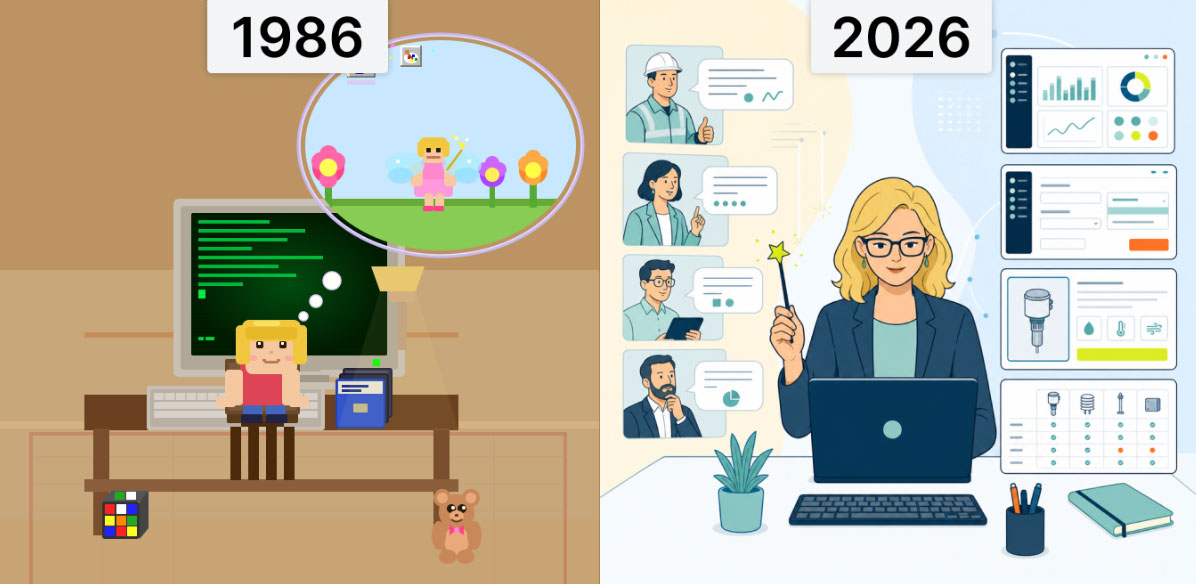
A long time ago, when I was just a child in the 80s, I would use MS-DOS to navigate to Microsoft Paint on my dad’s computer, and save my drawings to my very own floppy disk. I played text-based games, thus the first English words I learned were “open door” and “pick up”. Now, in 2026, when I’ve been designing prototypes with Claude Code, I’ve got this nostalgic feeling – The top-notch interface for designing today is just like the MS-DOS interface from 40 years ago.
Times have changed, and so have the tools. In a way, AI is just a new tool. It’s a new software, or a new way of working, that you learn to use to achieve the things you want to do.
The design practices, on the other hand, have not changed that much. For example, design thinking and service design, UX principles, validating our ideas with the users and customers to improve the design, and even the timeless 10 principles for good design, which Dieter Rams defined in the 70s, are still valid today. For example, here’s a funny article about the history of UX that starts already 4000 BC.
Perhaps the one thing that has changed, is that in today’s digital design, there is no time to make the design perfect, before it is already on the market. Design is made super fast, and in some cases it’s only validated after the MVP is shipped with pilot customers, and further iterated in production.
On the other hand, because digital design is easy to change, perhaps AI can give us opportunities to fix UX/UI issues that were difficult to prioritize before. Being digital is both a blessing and a curse.
First of all, I’ve always been positive about rapid prototyping, early testing, and sharing designs and ideas before they are fully polished.
I believe that through discussions, and by combining different views, we achieve better results faster, than if I’d lock myself in some chamber to work for one month completely alone.
I was quite skilled at doing fast prototypes in Figma, but the problem was that when there were frequent updates and changes, it was tedious to keep up. It was quite fast to design a prototype to show ideas quickly, but when you needed to iterate them, change things, update the prototype structure or make such major changes, it was always a pain – even if you tried to create the reusable components or variables in the best possible way.
Designing with Claude changes that. I’ve been building a concept prototype of a web application lately, and I’ve been amazed by the things it can do. Claude can create basic resizing, some responsiveness, interactions and hover states by itself. It can make big structural changes quite well. This means you can test different ideas “in action”, as a prototype. Before, you would need to make the design decisions already in the concept drawing phase, simply because creating many different prototypes would have taken too much time.
With Claude you have more room to make changes to the design, and try out different variations with fully functional prototypes. I also love that I can combine different data sources to create content, and that I don’t need to draw all the designs by hand.
For example, I can use a design system card component and ask it to make a product gallery, using photos from a website as a source. Before, it would have taken a lot of time to create dummy content for the prototype. It’s also easy to add or remove columns, or change it into a list, or turn it into a totally different visualization. With AI we can quickly create something that we can then test internally or with customers.
Depending how vague the tasks I give are, I can test how much freedom it makes sense to give to the AI – If I have a bit of creator’s block, I could even give it the customer journey and ask it to create the initial flow, just to have somewhere to start the design and iterations from. By combining data from different sources, I can create, for example, a product catalog, without knowing much about the products myself. The trick is to understand what you know, and what you don’t. AI doesn’t make good design. It gives ideas, and some of them are good, and some are bad.
Prototyping with Claude has been so much fun that I usually want to keep designing all the way until I’ve burned all the tokens for the day.
There has been talk about who will be replaced by AI, the coder, the product manager or the designer – or perhaps the customers?
In my opinion, we should still keep the “holy triangle” when developing software: PM, UX and DEV. All these three roles have their own expertise that is needed for creating good products.
Keep product managers (PM) thinking about the business aspects and market fit, user experience design (UX) to design the functionality so users can achieve their goals, aesthetics and accessibility, and developers (DEV) to ensure the code is elegant, robust, works well and integrates with all the backend architecture. Have an empowered team, where everyone feels they are contributing and is passionate about the product. Even if now customer comments would make smaller updates turn instantly into code with AI, UX needs to be there at least to review the proposed changes, and update them if required, before they go to production.
However, UX could actually blend more into frontend coding, with developers focusing more on the backend. With the help of AI coding, UX designers could do pull requests, which the developers would then integrate and check.
Often, development is actually the bottleneck in production, not design, so taking UX design closer to creating front-end could save time, and result in more polished, quality user interfaces.
On the other hand, what really takes time and money is shooting in the dark without knowing what we are doing. With user research, testing, and early prototyping design can also help PMs to identify which are the crucial problems to solve, so we don’t waste implementation money on something that is not needed. This is the core of what designers do, before and after AI. Perhaps with the help of AI speeding up production, we have more time to do usability research and testing?
Even if all of us would use AI to speed up our work, we should still remember that the people in these roles are professionals in their own fields, and value their contributions. We can give suggestions to each other to collaborate well, while still respecting each other’s professions.
Why were robots invented? To help us reduce mundane, boring, repetitive tasks. Let’s keep the interesting work for ourselves.
Come and discuss more about UX/UI design and AI workflows in our webinar (in Finnish)
Receive the latest news, tips, tools and more information around design and customer experience. Conveniently in your inbox monthly.

